Free Norway VPN Browser Extension
- Connect to a Norway VPN server for free
- Get a Norwegian IP address in your browser
- Access Norway content from anywhere in the world

How to Set Up Norway VPN on your Browser
Install VPN on Your Browser
Get VPN Browser from the store and complete the quick setup.
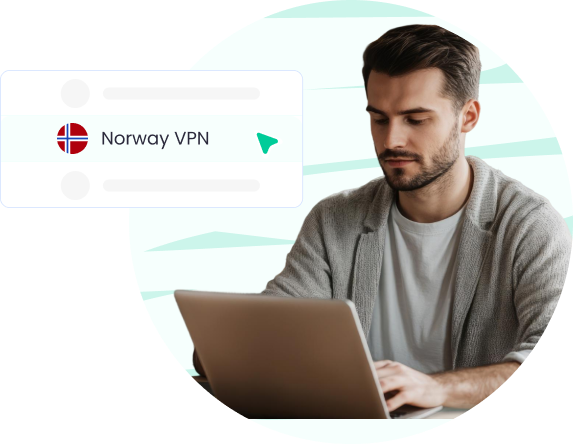
Choose Norway VPN and start browsing!
Click Norway VPN, connect, and enjoy fast, secure, and private access.
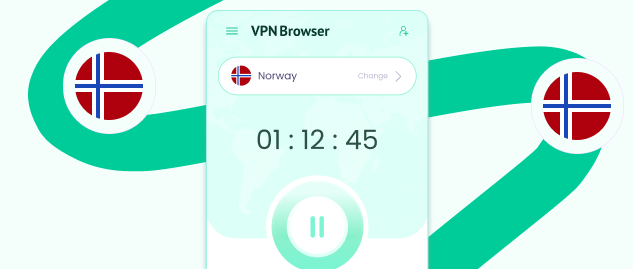
Click On Change Location
Launch the extension and pick “Change Location.”

Core VPN Features in One Browser Extension
VPN Browser brings together essential VPN features that manage how your browser traffic is routed, encrypted, and connected across different locations.

Double VPN Routing
VPN Browser Routes your traffic through two separate VPN servers instead of one. This creates an additional connection hop, where traffic is processed before reaching its destination.

VPN Kill Switch
Automatically stops browser traffic if the VPN connection is interrupted. This helps avoid situations where your real IP location could be exposed due to sudden connection drops or instability.

DNS Leak Protection
Ensures that all DNS requests are routed through the VPN connection. This prevents your browser from using your deafault network provider to resolve domain names while the VPN is active.

Unlimited VPN
Use the VPN without limits on data usage or session duration. You can stay connected for as long as needed without restrictions, directly from your browser environment.

VPN Encryption
Encrypts the traffic between your browser and the VPN servers. This helps secure how your data is transmitted while connected, especially when using different networks.

Global Server Locations
Connect to VPN servers across multiple regions worldwide. This allows you to select different IP locations depending on your needs and switch between them at any time.

Browser-Based VPN
Runs entirely within your browser without affecting other apps or system-level traffic. This gives you control over your browser connection without requiring full-device configuration.

Avoid ISP Tracking
Your ISP can see the websites your device connects to. VPN Browser routes your browser traffic through encrypted servers, changing how your activity appears while connected.
Explore Popular VPN Browser Locations






Try Travel VPN from Anywhere
Download VPN Browser from the official chrome web store, change your IP and browse freely, wherever you are.

Streaming VPN Unlock Shows
Download Streaming VPN and access entertainment safely worldwide.
Get a Norway IP and VPN Server
Connect your browser through Norway and change your IP location. VPN Browser lets you switch locations without extra setup.
Get a Norway IP Address
Choose a Norway location in VPN Browser to receive a local IP address. Once connected, your browser traffic is routed through that server. Your IP location will appear as Norway during your session.

Use Norway VPN Server Locations
Select from available VPN servers in Norway within the extension. You can switch locations and manage your connection directly. Server options may change depending on availability.