
VPN Browser Guard
Block intrusive ads, malicious websites, phishing pages, and crypto-mining scripts with lightweight, zero config browser protection. No registration required.
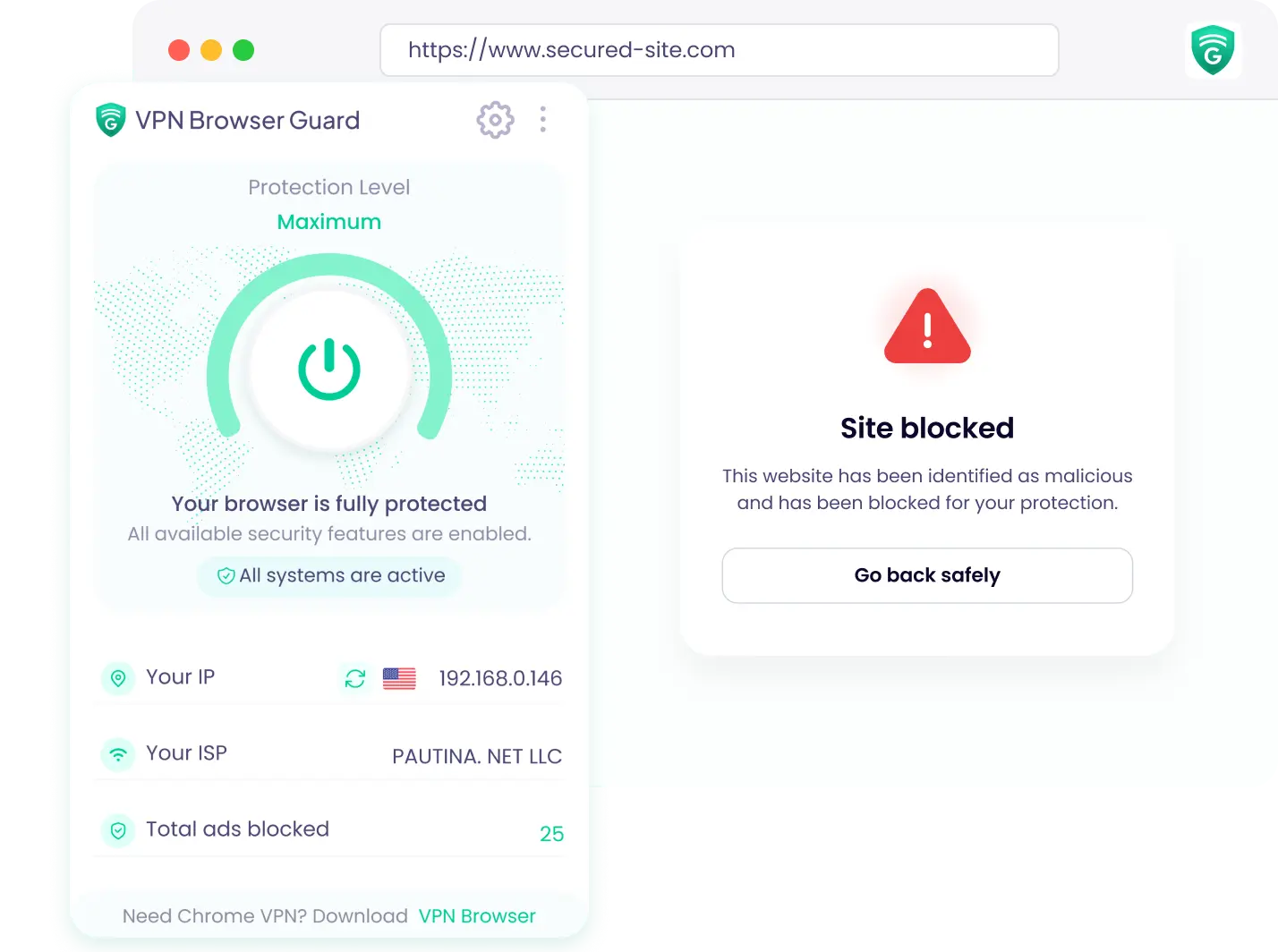
How to Set Up VPN Browser Guard
Install VPN Browser Guard
Open the Chrome Web Store, add VPN Browser Guard to your browser, and get protected in just a few clicks.
Safer Browsing & Privacy
VPN Browser Guard works quietly in the background, helping protect your browser from phishing, malware, malicious ads, and online tracking.
Enable Browser Protection
Turn on protection to block malicious websites, intrusive ads, trackers, and unwanted content.

An extra layer of protection, built into your browser.
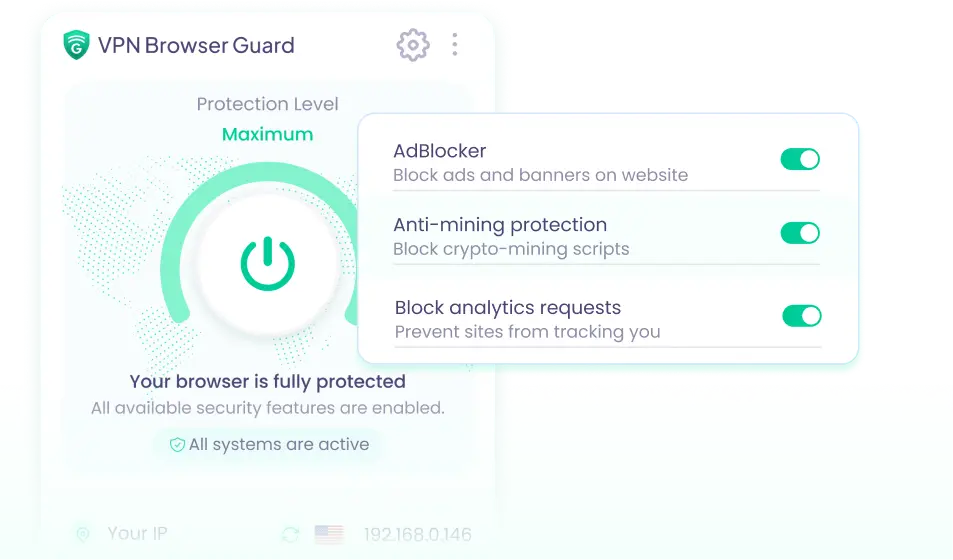
Protection Without the Slowdown
VPN Browser Guard is built to run quietly in your browser, helping block intrusive ads, malicious websites, and crypto-mining scripts without adding unnecessary complexity.
Coming Soon
Stop Threats Before They Reach You
VPN Browser Guard helps identify and block phishing pages, malicious websites, and crypto-mining scripts before they can disrupt your browsing.
Coming SoonQuietly defensive in the background.

Mining Site Alerts
Instantly identifies and blocks rogue JavaScript mining scripts from draining your CPU resources while visiting compromised sites.

Clear Cache & History
Configure automatic wiping of tracking cookies, state tokens, and local storage caches every time you close your browser tabs.

Intrusive ad blocking
Blocks intrusive ads for a cleaner browsing experience and can help pages load faster.

Browser Protection
Hardens browser API headers to mitigate against common drive-by download vectors and exploit payloads.
Make your browser a safer place.
Instantly identifies and blocks rogue JavaScript mining scripts from draining your CPU resources while visiting compromised sites


Crypto Mining Script
Blocked · Protects your device
Hidden Tracker
Blocked · Protects your privacy
Phishing Attempt
Blocked · Protects your data