
Free Uruguay VPN Browser Extension
- Get a Uruguayan IP address in your browser
- Access Uruguay content from anywhere
- Connect to a Uruguay VPN server for free


How to Set Up Uruguay VPN on your Browser
Install VPN on Your Browser
Get VPN Browser from the store and complete the quick setup.
Choose Uruguay VPN and start browsing!
Click Uruguay VPN, connect, and enjoy fast, secure, and private access.
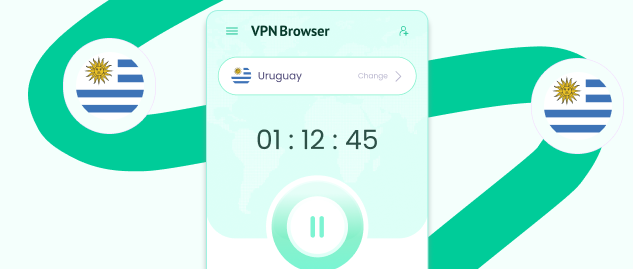
Click On Change Location
Launch the extension and pick “Change Location.”

Core VPN Features in One Browser Extension
VPN Browser brings together essential VPN features that manage how your browser traffic is routed, encrypted, and connected across different locations.

Double VPN Routing
VPN Browser Routes your traffic through two separate VPN servers instead of one. This creates an additional connection hop, where traffic is processed before reaching its destination.

VPN Kill Switch
Automatically stops browser traffic if the VPN connection is interrupted. This helps avoid situations where your real IP location could be exposed due to sudden connection drops or instability.

DNS Leak Protection
Ensures that all DNS requests are routed through the VPN connection. This prevents your browser from using your deafault network provider to resolve domain names while the VPN is active.

Unlimited VPN
Use the VPN without limits on data usage or session duration. You can stay connected for as long as needed without restrictions, directly from your browser environment.

VPN Encryption
Encrypts the traffic between your browser and the VPN servers. This helps secure how your data is transmitted while connected, especially when using different networks.

Global Server Locations
Connect to VPN servers across multiple regions worldwide. This allows you to select different IP locations depending on your needs and switch between them at any time.

Browser-Based VPN
Runs entirely within your browser without affecting other apps or system-level traffic. This gives you control over your browser connection without requiring full-device configuration.

Avoid ISP Tracking
Your ISP can see the websites your device connects to. VPN Browser routes your browser traffic through encrypted servers, changing how your activity appears while connected.
Explore Popular VPN Browser Locations







Try Travel VPN from Anywhere
Download VPN Browser from the official chrome web store, change your IP and browse freely, wherever you are.

Streaming VPN Unlock Shows
Download Streaming VPN and access entertainment safely worldwide.
How to Get a Uruguay IP and VPN Server for free?
Switch your browser IP location to Uruguay in seconds. VPN Browser makes it easy to connect and change locations.
Get a Uruguay IP Address for Free
Use VPN Browser to connect through a Uruguay server and receive a local IP address. Once connected, your browser traffic is routed through that location. This allows your IP location to appear as Uruguay during your session.

A free VPN Server in Uruguay
VPN Browser provides access to VPN servers in Uruguay directly from the extension. Choose a server, switch between locations, and manage your browser connection easily. Availability may vary depending on network conditions.